Printing CM Test Paperwork
Each helium compressor received for refurbishment will have a work order number assigned to it by logistics. This will be recorded on a colored tag along with the part number and the serial number. This tag will stay with the helium compressor throughout the entire repair process. Please take care to keep it in good conditions because it will get shipped back out to a customer.
Repair Types
Core Repair
Clear Bag Yellow Tag
The core repair is represented by a yellow tag. This is a unit that CryoSRV owns and will sell it on an exchange basis which will produce another defective core repair to refurbish. Core repairs are sometimes sold on an "outright sale" basis which will not produce a returned defective core.
Customer Repair
Clear Bag Blue Tag
The customer repair is represented by a blue tag. This is a unit that is owned by a customer. These type of repairs require regular communication with the sales department with regard to the status of the repair process.
Warranty Repair
Red Bag Yellow Tag
The warranty repair si represented by a red tag. This indicates that the unit failed under warranty and that a full analysis must be performed in order to identify the cause of failure.
Purchase Analysis
Red Bag, Yellow Tag
The purchase analysis is also represented by a red tag. This indicates that we are evaluating the purchase of a unit and need to perform a full evaluation on the unit in order to determine if it is a viable unit before accepting delivery.
Accessing Airtable
From your computers browser go to the Airtable website and log in. This will have been covered in your onboarding.
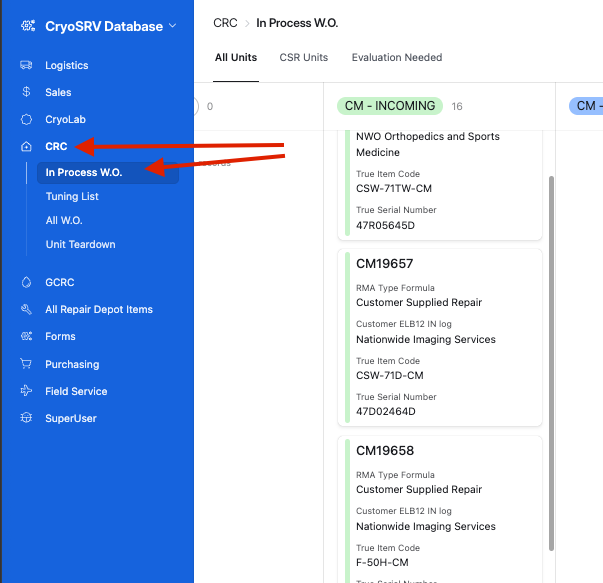
Once logged in, go to the to left side of the menu and select In Process W.O. within the CRC module.
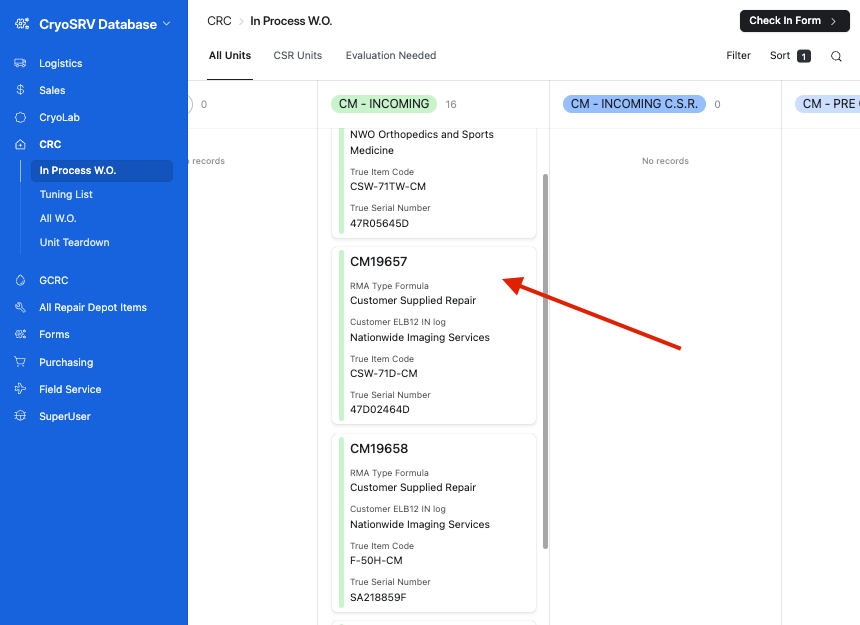
Select the WO card that you wish to print the repair worksheet for.
If there is no repair worksheet saved in the attachments field, select the dropdown menu next to the check in form button. This will reveal a button called repair worksheet. Pressing this button will generate a new worksheet for this specific WO.
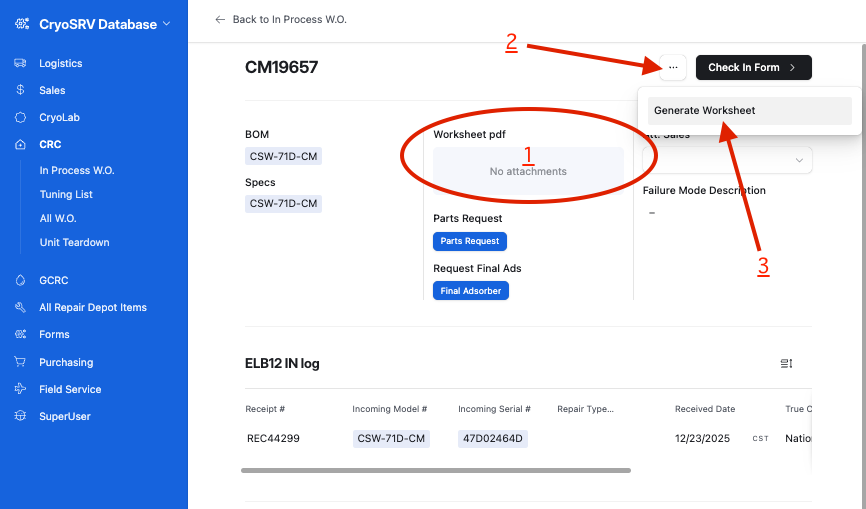
Select the generated worksheet in the attachment field and print.
Validating Test Paperwork Information
Warning
Select the work order record and verify that the document on-screen information matches the work order tag on the cold head. Sometimes logistics will receive a different part number than is on the helium compressor.
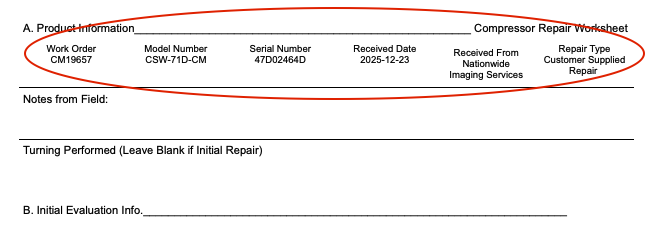
If all the information matches then print out the document or if the information doesn't match, please contact logistics to investigate and update the information.
Success
Please move forward to the appropriate servicing work instructions.